

 See My Latest Article on HelloNation
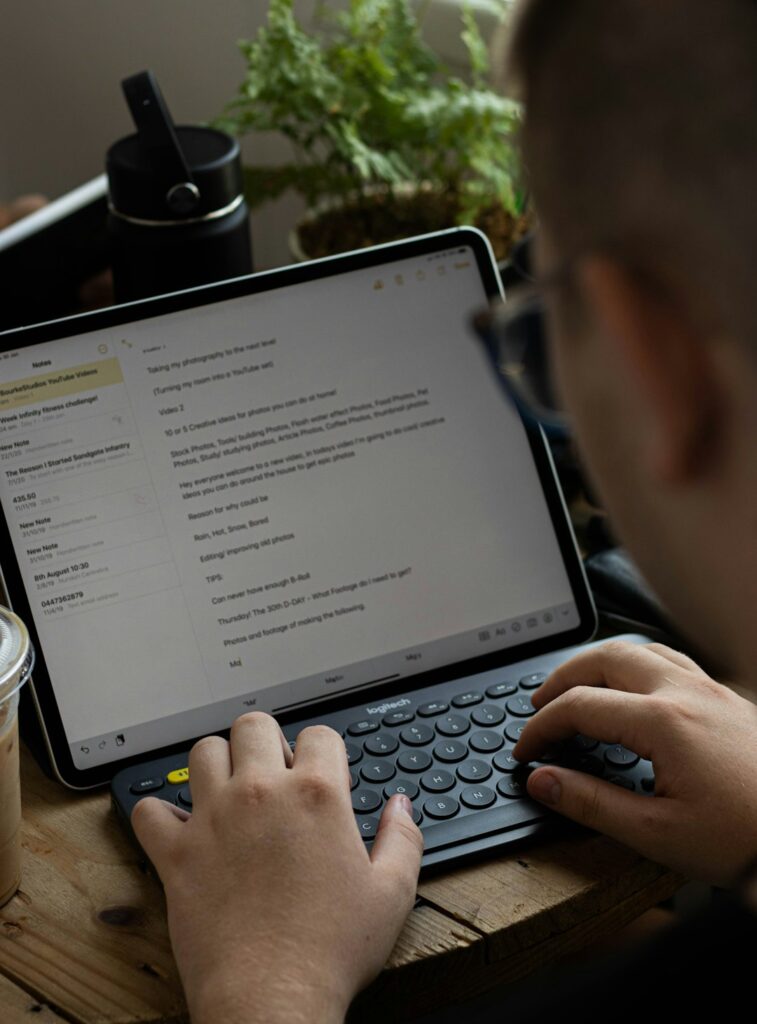
Hebrew is used in modern technology far beyond language-learning apps. It appears in phone settings, search tools, digital maps, online education, messaging platforms, software interfaces, cybersecurity research, speech recognition, and the growing field of artificial intelligence. For families and Hebrew learners in Englewood, NJ, understanding these uses can make digital Hebrew feel more familiar and useful.
Where is Hebrew used in everyday technology?
Hebrew is used wherever digital systems need to display, process, search, translate, or interpret written and spoken language. Common examples include:
- Smartphone and tablet keyboards
- Text messages and group chats
- Online newspapers and educational websites
- Digital books and classroom materials
- Search engines and voice assistants
- Banking, transportation, and government portals
- Video subtitles and accessibility tools
- Computer software and website menus
Modern devices generally support Hebrew as a right-to-left language. This affects more than the direction of the letters. Menus, punctuation, numbers, icons, text boxes, and page layouts may all need to adjust to Hebrew’s writing direction.
A person can often switch between English and Hebrew on the same device. This is useful in households where family members communicate in more than one language or where learners use English instructions while practicing Hebrew vocabulary.
Why does Hebrew appear from right to left on screens?
Hebrew is written from right to left, and digital systems must be designed to support that direction. A Hebrew paragraph usually begins on the right side of the screen, while English text begins on the left.
Technology handles this through a system called bidirectional text, which allows right-to-left and left-to-right writing to appear together. This matters because Hebrew messages often include:
- English names
- Email addresses
- Numbers
- Dates
- Mathematical symbols
- Web addresses
- Abbreviations
For example, a Hebrew sentence may contain a street number or an English website address. The device must keep each part readable without reversing characters or placing information in the wrong order.
Formatting problems can still occur. A copied phone number may appear visually confusing inside a Hebrew sentence, or punctuation may move unexpectedly. These issues are usually caused by the way software interprets mixed-direction text rather than by an error in the Hebrew itself.
How do people type Hebrew on a phone or computer?
Most current devices allow users to add a Hebrew keyboard through language settings. Once enabled, users can move between keyboard layouts by selecting a language button or using a keyboard shortcut.
Learners commonly use three approaches:
1. Hebrew keyboard layout: The user types directly with Hebrew letters.
2. Transliteration: Hebrew sounds are typed with Latin letters, and software may suggest Hebrew spellings.
3. Handwriting or voice input: The user writes letters on a touchscreen or speaks Hebrew into a microphone.
Direct Hebrew typing is generally the most reliable for spelling practice because it requires recognition of the actual Hebrew letters. Transliteration can be convenient for beginners, but it may produce several possible spellings for the same sound. Voice input is helpful for practicing pronunciation, although recognition quality can change depending on background noise, speaking speed, regional pronunciation, and the number of Hebrew words in the system’s language model.
How does technology help people learn Hebrew?
Digital tools can support reading, writing, listening, vocabulary development, and pronunciation. Their value depends on how they are used.
A learner may use technology to:
- Hear a word pronounced several times
- Review vocabulary with spaced repetition
- Practice recognizing Hebrew letters
- Compare formal and conversational wording
- Read a short passage with audio support
- Type a sentence and check spelling
- Record speech and compare it with a model
- Look up unfamiliar roots and word forms
Hebrew’s root-and-pattern system makes digital searching especially useful. Many words are connected through groups of consonants, often called roots. Seeing related words together can help learners recognize patterns in vocabulary rather than memorizing every word as completely separate.
Technology is less dependable as a substitute for instruction when a learner needs help with context, grammar, or cultural meaning. A translation may be technically possible but unnatural, overly formal, or inappropriate for a particular conversation.
Can artificial intelligence translate Hebrew accurately?

Artificial intelligence can translate Hebrew, summarize Hebrew text, generate practice questions, and explain some grammar patterns. It can be useful for first drafts and general understanding, but its answers should be reviewed.
Hebrew creates several challenges for automated systems:
- A word may have multiple meanings depending on context.
- Written Hebrew often leaves out vowel marks.
- Singular and plural forms can be easily confused by beginners.
- Gender affects many verbs, adjectives, and pronouns.
- Informal speech may differ from formal written language.
- Biblical, liturgical, modern, and academic Hebrew are not identical.
A computer may produce a grammatically possible sentence that a fluent speaker would not normally use. It may also select a word with the wrong level of formality or misunderstand a phrase that depends on cultural context.
For students, artificial intelligence is most useful when treated as a comparison tool. A learner can ask for several possible translations, examine differences, and then verify the result with a teacher, dictionary, or reliable learning resource.
How is Hebrew used in software and web design?
Hebrew-language websites require more than translating buttons and menus. Designers must account for right-to-left layout, Hebrew fonts, line spacing, punctuation, and the position of navigation elements.
Some interfaces mirror the entire layout for Hebrew. Others keep certain icons or controls in their original position because users are accustomed to them. A back arrow, media control, or numerical display may not always behave exactly as a Hebrew reader expects.
Good Hebrew interface design also considers readability. Letters should remain distinct at small sizes, especially for early readers. Fonts with clear differences between similar characters can support children, adults returning to study, and people who are still learning the alphabet.
Accessibility is another concern. Screen readers must identify Hebrew text correctly, pronounce it in an understandable way, and handle sections that combine Hebrew with English or numbers.
What role does Hebrew play in online communication?
Hebrew is widely used in digital communication, including family messages, school groups, community announcements, video calls, and online discussion forums. Digital conversation has also created informal spelling habits, abbreviations, and combinations of Hebrew with English terms.
Learners may notice that online Hebrew does not always follow textbook examples. People may omit punctuation, use slang, shorten phrases, or write foreign words phonetically in Hebrew letters. These forms can be useful for understanding real conversations but may not be appropriate in formal writing.
For households practicing Hebrew, a simple routine can help: use Hebrew for a short message, label familiar objects, read a brief notice together, or write a shopping list with Hebrew words. The goal is not to make every digital interaction fully Hebrew-based. Regular, understandable exposure is more useful than occasional exercises that feel disconnected from daily life.
What should Hebrew learners watch for online?
The most common difficulty is assuming that a digital translation is automatically correct. Learners should check whether a word fits the sentence, the speaker, and the situation.
It also helps to distinguish among:
- Modern spoken Hebrew
- Formal written Hebrew
- Biblical Hebrew
- Prayer and liturgical Hebrew
- Academic or technical Hebrew
These forms may share vocabulary while using different grammar, pronunciation, or style. A digital tool may not clearly identify which form it is presenting.
For residents using technology in a dense, multilingual community, Hebrew can be part of an ordinary household language routine: a second keyboard, a reading exercise on a tablet, a voice-practice activity, or a way to stay connected with relatives and cultural traditions. Digital tools work best when they support active reading, listening, speaking, and writing rather than replacing those skills.